Instagram in 2026 is no longer just a photo-sharing platform — it’s a powerful visual storytelling machine. Brands, creators, educators, coaches, and even small businesses rely on Instagram Carousel posts to share deeper stories, give step-by-step guides, teach concepts, and present ideas in a compelling multi-slide format.
But here’s the problem:
Creating high-quality carousels takes time.
Designing consistent slides is difficult.
Finding images, editing colors, arranging layouts…
Most beginners simply don’t have the skills or the time.
This is where AI Image Generators for Instagram Carousel Posts become game-changing.
You no longer need to be a designer.
You no longer need expensive software.
You only need a smartphone or laptop — and a set of smart AI tools.
In this beginner-friendly 2026 guide, you’ll learn exactly how to use AI image generators to design eye-catching Instagram carousel posts that stand out, tell better stories, and boost engagement dramatically.
Let’s begin your journey from “I don’t know design” to “I create beautiful carousels using AI.”
Why Instagram Carousel Posts Matter in 2026 (Engagement, Storytelling, and Growth)
Carousel posts have evolved into the most effective content format on Instagram — and for good reason.
1. Higher Engagement
Multiple studies (including Instagram’s 2026 Creator Insight Report) show:
Carousels generate 2–3× more engagement than single-image posts.
Why?
Because users swipe longer, stay longer, and interact more.
2. Better Storytelling
Carousels allow creators to:
-
Explain concepts step-by-step
-
Tell a mini-story
-
Showcase a tutorial
-
Break down complex ideas
-
Present before/after sequences
It’s the closest thing Instagram has to “mini blogs.”
3. Stronger Algorithm Boost
The 2026 Instagram algorithm favors:
-
Longer user dwell time
-
Multi-slide interactions
-
“Saves” and “Shares,” which carousels naturally drive
AI helps you create these posts faster and more professionally.
4. Professional Brand Appearance
AI-generated visuals look polished — even if you’re a complete beginner.
Carousels make your account feel premium, structured, and credible.
Carousels are not just a design choice.
They are a growth strategy.
Best AI Image Generators for Instagram Carousel Posts (2026 Edition)
Here are the top tools every beginner should know, ranked based on quality, consistency, and ease of use.
1. Midjourney (V6 & V6.5 Mobile Edition)
-
Best for aesthetic visual styles
-
Incredible detail and artistic creativity
-
Ideal for fashion, lifestyle, food, art, and branding carousels
Weakness: Requires Discord unless using mobile app version.
2. DALL·E 4 (OpenAI)
-
Extremely consistent characters & styles
-
Great for educational carousels
-
Easy to integrate with ChatGPT mobile & desktop
Weakness: Slightly softer artistic texture compared to Midjourney.
3. Stable Diffusion XL (2026 Mobile UIs)
-
Fully customizable
-
Best for branded templates
-
Works well for carousels needing uniform backgrounds
Weakness: Requires choosing good models for best results.
4. Canva AI
-
Easiest for beginners
-
Built-in Instagram carousel templates
-
Generates images + auto-layouts
-
Perfect for creators who need fast production
Weakness: More limited advanced image customization.
5. Adobe Firefly 3
-
Great for text-based designs
-
Strong typography + branding tools
-
Excellent for polished, corporate-style carousels
Weakness: Requires Adobe subscription.

6. Ideogram AI
-
Best tool for generating perfect AI typography
-
Great for cover slides with “Title Text On Image”
-
Ideal for Marketing + Motivation + Education niches
Weakness: Limited realism styles.
All these tools work perfectly for beginners — you just need to choose depending on the style you want.
Step-by-Step — How to Use AI Image Generators to Design a Full Instagram Carousel
This section gives you a complete, beginner-friendly workflow.
Step 1 — Choose the Concept for Your Carousel
Decide what type of carousel you’re creating:
-
Educational (“5 Tips for Better Sleep”)
-
Motivational (“Why You Should Start Today”)
-
Storytelling (“How I Built My Business in 6 Steps”)
-
Visual Aesthetic (Minimalist, Soft Pastel, Moody Dark)
-
Product Showcase
-
Tutorial Breakdown
-
Myth vs. Fact
-
Before/After Transformation
AI works best when your concept is clearly defined.
Step 2 — Write Strong AI Prompts (The Heart of Good Carousel Design)
Weak prompts = weak images.
Strong prompts = consistent, professional visuals.
For carousels, prompts should include:
-
Style (minimal, bold, aesthetic, futuristic)
-
Color palette (beige, pastel, neon, monochrome)
-
Layout (empty space for text)
-
Format (portrait / 4:5 ratio)
-
Visual theme (clean, textured, gradient)
Example base prompt:
“Create a clean, minimal background for an Instagram carousel slide, with soft pastel gradients, empty space for text, 4:5 format, modern aesthetic.”
You will get a usable background instantly.
Step 3 — Generate Images with Consistent Aesthetic
Carousel slides must look unified.
To achieve consistency:
-
Reuse the same prompt style
-
Keep the same color palette
-
Use the same artistic modifiers
-
Mention “same style as previous” if supported
-
Download images and build a layout template
Midjourney & DALL·E excel at consistency if you repeat the same instructions.
Step 4 — Edit & Enhance Using AI Tools
Now use tools like:
-
Canva AI
-
Adobe Express
-
Notion AI Image Edit
-
Clipdrop
You can:
-
Adjust brightness
-
Add brand colors
-
Add shapes & borders
-
Remove unwanted elements
-
Make space for text overlays
This adds professionalism.
Step 5 — Arrange the Carousel Layout
Instagram carousels have:
-
Cover slide (most important)
-
Value slides (2–7)
-
Summary slide
-
CTA slide (“Save this post”)
Arrange everything so it reads like a story.
Step 6 — Add Text Overlays
Tips:
-
Always use the same 1–2 fonts
-
Use high contrast (dark text on light background)
-
Keep text 20–30% of the slide
-
Use line breaks
-
Don’t clutter the design
AI tools like Canva AI can auto-recommend font pairings.
Step 7 — Export in the Correct Format
Instagram carousel format in 2026:
-
1350 × 1080 px (4:5 ratio)
-
PNG recommended for text clarity
-
Keep file names organized
-
Export in order: slide1, slide2, slide3…
Step 8 — Upload with AI-Assisted Caption & Hashtags
Use ChatGPT or Gemini:
-
Write captions with hooks
-
Generate CTA
-
Create hashtag sets
-
Add emojis & formatting
Example caption prompt:
“Write an Instagram caption for a 7-slide carousel about productivity tips, using a friendly tone, a hook, and a CTA to save the post.”
Maintaining Brand Consistency Using AI Tools (Colors, Styles, Layouts)
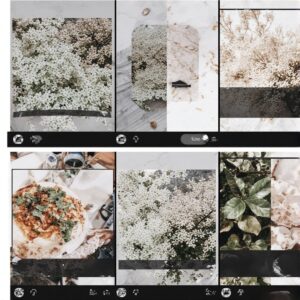
Brand consistency is the secret to professional carousel posts.
AI helps with:
-
Color palette generation
-
Style matching
-
Template building
-
Typography consistency
-
Layout repetition
Tools like Canva AI even allow you to build a Brand Kit:
-
Fonts
-
Colors
-
Logos
-
Reusable layouts
In 2026, maintaining brand identity is easier than ever.
Top 20 Ready-to-Use Prompts for Instagram Carousel Posts (2026 Edition)
Educational Carousels
-
“Minimal pastel background for a 7-slide educational carousel, clean design, empty space for text, 4:5 ratio.”
-
“Soft white-beige aesthetic with subtle gradient for Instagram teaching carousel, modern style.”
-
“Neutral professional background with light texture for informative slides.”
Motivational Carousels
-
“Bold modern typography background in navy blue and gold, luxury inspirational theme.”
-
“Warm sunrise gradient aesthetic with textured light for motivational quotes.”
-
“Minimal white background with elegant serif typography frame.”
Product Showcases
-
“Clean product mockup with shadows, minimalist style, pastel background, perfect for carousel product slides.”
-
“Studio lighting aesthetic with smooth gradients and empty space for product details.”
Aesthetic Theme Carousels
-
“Soft pink-beige gradient with dreamy aesthetic, perfect for lifestyle content.”
-
“Monochrome minimalist background with geometric shapes, editorial magazine style.”
Branding + Text-Based Slides
-
“Minimal black-and-white layout with bold sans-serif typography.”
-
“Muted neutral tones with rounded shapes for brand content.”
Tutorial / Step-by-Step Carousels
-
“Clean workflow layout with icons and soft shadow boxes.”
-
“Modern blue gradient tech aesthetic with empty space for steps.”
Storytelling Slides
-
“Warm cinematic background with faded edges for storytelling carousels.”
-
“Soft focus lifestyle photography with text-safe zone.”
Call-To-Action Slides
-
“Bold high-contrast CTA slide design with vibrant colors.”
-
“Soft gradient CTA slide with modern minimal style.”
Title Cover Slides
-
“Bold cover slide with clean layout, hero text area, and modern gradient.”
-
“Elegant minimal cover slide with gold highlights and serif/sans mix.”
These prompts alone can produce weeks of Instagram content.
Comparison of AI Tools for Carousel Creation (2026 Edition)
| Tool | Best For | Strengths | Weaknesses | Difficulty | Price |
|---|---|---|---|---|---|
| Midjourney | Aesthetic visuals | Artistic quality | Harder learning curve | Medium | Medium |
| DALL·E 4 | Consistent styles | Clean human visuals | Softer textures | Easy | Medium |
| Stable Diffusion XL | Full customization | Flexible models | Requires setup | Medium | Low |
| Canva AI | Fast creation | Templates included | Limited realism | Very Easy | Low |
| Adobe Firefly | Brand visuals | Typography & layout | Requires subscription | Medium | High |
| Ideogram AI | Text on image | Stunning typography | Fewer styles | Easy | Low |
FAQ
1. Can beginners create professional Instagram carousels with AI?
Absolutely. With AI image generators + simple editors like Canva, anyone can design stunning carousels.
2. Which AI tool is best for beginners?
Canva AI or DALL·E 4 — both are extremely beginner-friendly.
3. How do I keep images consistent across slides?
Use the same style, palette, and prompt structure in every generation.
4. What is the ideal size for an Instagram carousel?
1350 × 1080 px (4:5 aspect ratio) — the 2026 standard.
5. Can I use AI images commercially on Instagram?
Yes, but always review licensing rules for each tool.
Conclusion
AI image generators have completely transformed Instagram content creation. What once required design skills, expensive tools, and hours of effort can now be done in minutes — with stunning results.
Your carousel posts can be aesthetic.
They can be professional.
They can tell your story beautifully.
And you don’t need design experience to do it.
Start with one carousel.
Use one prompt.
Let AI handle the design while you focus on the message.
The future of Instagram is visually intelligent — powered by your creativity and AI.