How AI Completely Transformed Product Photography
In 2026, product photography is no longer defined by expensive studios, giant softboxes, complex camera rigs, or the kind of retouching that used to take full-time professionals hours to complete. Something fundamental has shifted — not only in how images are created, but in who can create them.
Three years ago, AI-generated product photos felt like a novelty: slightly off proportions, odd reflections, strange shadows, and the unmistakable “AI sheen” that made everything look too perfect to be real. But in 2026, the situation couldn’t be more different. AI product photography has matured into a fully capable, studio-grade medium that rivals — and in some cases surpasses — physical photography.
This evolution didn’t happen overnight. It came from a fusion of new diffusion models, virtual lighting engines, PBR-accurate material systems, and the rise of multi-modal training that uses real-world optics as part of the model’s learning process. The result? You can now produce images that look like they came straight from a $20,000 studio setup — with nothing more than a prompt, a well-designed workflow, and a clear understanding of visual principles.
But here’s the truth most creators and sellers miss:
AI product photos only look professional if the person behind the prompt knows how to think like a photographer.
AI isn’t magic.
AI is a camera with infinite creative potential — but zero intuition.
Just like a DSLR doesn’t create beautiful images on its own, AI needs someone who understands:
-
how real light behaves
-
how products interact with surfaces
-
how shadows fall naturally
-
how lenses distort perspective
-
how materials reflect and absorb light
-
how brand identity influences mood and styling
This tutorial is not another “copy-paste prompt” blog post.
It is a complete 2026 guide, designed to teach you the art and science behind generating studio-quality product photos using AI, step by step, even if you’re a total beginner.
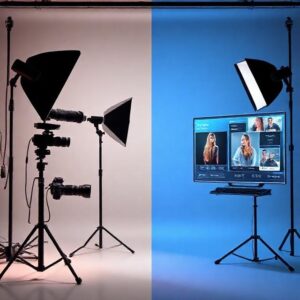
Why Product Photography Matters More Than Ever in 2026
The digital marketplace has become brutally competitive. With the explosion of TikTok Shop, Shopify AI stores, Amazon Handmade, Etsy Plus, and AI-generated product brands, customers judge based on one thing:
Your visuals.
Not your product description.
Not your price.
Not your brand story.
In 2026, the scroll is the battlefield — and an image is either a conversion engine or digital noise.
AI levels the playing field for:
-
small e-commerce shops
-
Etsy and handmade sellers
-
beauty brands
-
Amazon FBA product launches
-
startup founders
-
creators building digital brands
-
advertisers needing fast creative variations
Where once a brand needed $3,000–$10,000 for a professional product shoot, today a single person can create:
-
packaging photos
-
lifestyle scenes
-
luxury studio shots
-
textured macro close-ups
-
cinematic brand imagery
-
seasonal variations
-
A/B tested visuals
-
360° product spins
all using AI — with zero photography equipment.
What’s New in 2026 That Makes AI Photos Look “Real”?
To understand this, imagine the difference between a beginner photographer and a commercial photographer. They might use the same camera, but one produces snapshots while the other produces assets.
AI in 2026 finally behaves like a commercial photography engine, thanks to:
Virtual Lightboxes (New 2026 optical simulation)
The model understands how to cast realistic soft shadows and gradient falloff.
PBR Material Awareness
AI can now simulate:
-
metal
-
glass
-
wood
-
ceramic
-
brushed aluminum
-
liquid textures
-
fabric fibers
-
matte vs glossy dynamics
with physical accuracy.
Cylindric Diffusion (2026 innovation)
Perfect for cylindrical and bottle-shaped objects — skincare, perfumes, candles, drinks.
Multi-angle product consistency
You can now generate multiple angles of the same product with near-identical lighting.
Label, text, and logo accuracy
Models no longer melt labels — if prompted correctly.
These advancements mean that AI product photography has moved from “fake-looking but impressive” to “brand-ready and commercially reliable.”
What You Will Learn in This 6000-Word Tutorial
By the end of this full guide, you’ll know how to:
-
build a complete AI photography workflow
-
choose the right tools for your brand
-
write studio-grade prompts using the 2026 STUDIO Framework
-
generate ultra-consistent product photo sets
-
master AI lighting, composition, and realism correction
-
fix common model errors
-
prepare images for Shopify, Etsy, Amazon
-
generate entire campaigns with no physical photography
This is the most comprehensive beginner-friendly guide available — designed to teach you to create images that look like this:
luxury-level, glossy, hyper-real, emotionally appealing brand photography that converts.
AI Product Photography in 2026
What’s New, What Changed & Why It Matters**
Artificial intelligence didn’t just “improve” product photography in 2026 — it redefined it. What was once a niche trick for hobbyists has now become a fully capable production pipeline used by major e-commerce brands, boutique beauty lines, Etsy shops, and even high-end agencies. To understand how we reached this point, you need to see how dramatically the underlying technology changed in just three years.
Many people think product photography is only about a “good-looking picture,” but real commercial-grade imagery depends on factors that go far beyond color and sharpness. Before 2026, AI models simply couldn’t simulate the complexities of real optics — the subtle behaviors of shadows, reflections, lens diffraction, material micro-textures, and physical light interactions. But in 2026, everything changed because AI learned physics.
Let’s break it down.
1. AI Models Learned Real-World Optics (Not Just Patterns)
Up until 2024, diffusion models mostly generated “similar-looking” images based on patterns they had seen during training. They mimicked the appearance of a photo — not the physics of one.
But the new generation of 2026 models integrates Optical Physics Layers:
-
real light decay
-
real shadow gradients
-
accurate reflection mapping
-
correct refraction through glass
-
natural bokeh formed by aperture shape
-
realistic chromatic dispersion on glass edges
-
physically correct metal specular highlights
This changed everything.
For example, beauty brands depend heavily on glass bottles and serum droppers, which are notoriously hard for AI to simulate. Before 2026, the glass looked melted or warped. Now it’s crisp, convincing, and commercially usable — because models understand how glass interacts with light.
2. The Rise of Virtual Light Studios (A Game-Changer)
One of the biggest breakthroughs of 2026 is the introduction of Virtual Light Studios inside AI tools. These simulate real studio setups:
-
three-point lighting
-
softbox reflections
-
long-shadow product shots
-
high-contrast hero lighting
-
ring light diffusion
-
HDRI environment maps
This means you can “build” a virtual studio inside AI, just like a real photographer would.
Instead of saying:
“Generate a product on a white background,”
you can now say:
“Softbox above at 45°, rim light from behind, subtle bounce from the left, glossy shadows, f/4 depth of field, 85mm lens perspective.”
And the model understands every part of it.
This makes an unbelievable difference because good product photography is 70% lighting — and AI now generates lighting with professional control.
3. PBR Material Simulation Became Standard
Perhaps the most important advancement is the introduction of PBR-level realism (Physically Based Rendering).
AI now simulates:
-
subsurface scattering in liquids
-
micro-reflections on metals
-
fabric fiber texture
-
wood grain inconsistencies
-
wax diffusion on candles
-
matte powder coating
-
leather sheen variations
-
frosted vs glossy plastic behavior
Before 2026, AI tried to “guess” textures. Today, AI understands them.
This turns simple objects into hyper-realistic assets that look truly physical — something extremely valuable for brands selling:
-
cosmetics
-
skincare
-
jewelry
-
candles & handmade items
-
electronics
-
luxury packaging
-
consumer goods
4. Cylindric Diffusion Models (Perfect for Bottles & Tubes)
A breakthrough specifically important for beauty and handmade sellers.
Most e-commerce items like:
-
serums
-
perfume bottles
-
lotion tubes
-
candles
-
jars
-
essential oil containers
are cylindrical.
Traditional AI often distorted these forms.
But Cylindric Diffusion introduced in 2026 changed that — allowing AI to maintain perfect cylindrical geometry.
This gives:
-
symmetric bottles
-
straight-walled jars
-
accurate reflections
-
perfect product proportions
-
stable multi-angle views
For the first time, AI became reliable enough to generate entire product lines with consistency.
5. Consistency Engines (2026 Update) — The Real Secret Sauce
One of the biggest problems in earlier AI models was this:
You could make one good product image,
but you couldn’t make a set of matching images.
In 2026, AI tools now offer:
-
seed-locking
-
angle-locking
-
lighting-locking
-
material stabilization
-
color calibration
-
brand LUT mapping
-
series consistency models
This finally enables:
✔ multi-angle product shots
✔ front-view, top-view, side-view
✔ lifestyle variations
✔ seasonal variations
✔ ad creatives from one master style
✔ thumbnails + banners + social media sets
Brands can now look truly consistent, not AI-generated.
6. Label, Text, and Logo Accuracy Became Shockingly Good
Before 2025, text and labels were a disaster.
Labels melted.
Logos warped.
Text blurred or rearranged itself.
But 2026 models use:
-
vector text injection
-
text-locking nodes
-
semantic label positioning
-
high-resolution detail passes
Now, you can generate:
-
skincare labels
-
ingredient lists
-
packaging details
-
product titles
-
brand logos
with near-perfect accuracy.
This turned AI images into real e-commerce assets — not demos.
7. AI Photos Are Now Legally Safer to Use
Due to new 2026 regulations, major AI tools now include:
-
commercial-safe generators
-
licensed training libraries
-
copyright-protected diffusion layers
Making AI-generated product images safer for:
-
Amazon sellers
-
Shopify stores
-
Etsy shops
-
DTC brands
-
advertisers
This is crucial because brands need images that won’t trigger copyright disputes.
Why This Matters for You
The advancements of 2026 mean:
You’re no longer limited by your equipment.
You’re limited by your vision.
This guide will teach you how to turn that vision into studio-quality product images — using nothing but AI and the frameworks in this tutorial.
The Essential AI Tools for Studio-Quality Product Photography in 2026
In 2026, AI tools are no longer simple “image generators.” They’ve evolved into full virtual studios with control over lighting, camera behavior, materials, and even brand consistency. The key to getting studio-quality product photos is not using every tool, but using the right one for the right job.
In this section, we’ll break down the major AI tools you should know, what they’re best at, and when to use each one in a real product-photo workflow.
1. Midjourney v7 – The Artistic Photorealism Engine
Midjourney v7 has become one of the go-to tools for brands that want premium, emotionally rich, and visually striking product images. It shines when you need a mix of artistic direction and photorealism.
What Midjourney v7 is great at:
-
Luxury and beauty product shots
-
Cinematic lighting and dramatic shadows
-
Highly detailed textures (glass, metal, fabric, skin-contact products)
-
Editorial-style hero images for campaigns and landing pages
Key 2026 features that matter for product photography:
-
LightLab Engine – A virtual lighting system that lets you influence key light direction, softness, and reflection behavior.
-
Lens Simulation – You can evoke the look of an 85mm portrait lens or a 35mm lifestyle shot just by describing the lens style.
-
Material Awareness – v7 understands how different surfaces should react to light, from frosted glass to brushed aluminum.
Best use cases:
-
High-end skincare bottles on marble
-
Jewelry on soft fabric with softbox reflections
-
Lifestyle shots where the product is part of a story
-
Dramatic, moody visuals for social ads
Midjourney is ideal when your priority is visual impact and brand aesthetics, not strict technical precision.
2. DALL·E 5 – The Precision Commercial Generator
DALL·E 5 has evolved into a highly controlled, commercially reliable tool. If Midjourney is the art director, DALL·E 5 is the clean, detail-obsessed studio photographer.
What DALL·E 5 excels at:
-
Clean, minimal product images
-
Highly accurate shapes and proportions
-
Packaging and label readability
-
Sharp edges and simple, commerce-ready compositions
Important 2026 improvements:
-
Text and Label Accuracy – Labels, ingredient lists, and logos render far more reliably than in previous generations.
-
Camera-Like Controls – Concepts like aperture, depth of field, focal length, and exposure are interpreted realistically.
-
Edge Fidelity – Handles product silhouettes, sharp corners, and packaging forms with minimal artifacts.
Best use cases:
-
Packshots for Amazon, Walmart, and marketplace listings
-
Simple white-background product images
-
Clean, centered visuals for Shopify product pages
-
Any situation where legibility and clarity are critical
If you need “catalog-perfect” and technically accurate outputs, DALL·E 5 is usually the best first stop.
3. Krea – The Consistency-Driven Studio for Product Sets
Krea has emerged as a favorite among e-commerce sellers who care about consistent series of product images rather than one-off shots.
Its 2026 “Ultra Studio” upgrades introduced:
-
Consistent angles across multiple renders
-
Locked lighting profiles for entire product lines
-
Color and exposure calibration across a full set of images
What Krea is best at:
-
Creating a full image set of the same product: front, side, top, angled views
-
Maintaining the same background, lighting, and mood across many images
-
Generating cohesive assets for an entire brand line (e.g., multiple scents, flavors, or variants)
Best use cases:
-
Full Shopify or WooCommerce product galleries
-
Collections pages where each product must look uniform
-
Brand systems that demand strong visual coherence
Krea is less about wild creativity and more about building a visually disciplined catalog.
4. Adobe Firefly 3 – The Commercial Retouching Powerhouse
Adobe Firefly 3 has become deeply integrated into professional workflows thanks to its Commercial Studio Mode and seamless connection with Photoshop and other Adobe tools.
Why Firefly 3 matters in 2026:
-
It’s designed with commercial use in mind, with licensing and rights handled clearly.
-
It excels at fixing AI images: cleaning edges, smoothing artifacts, and refining details.
-
It allows precise control over color, lighting, and small imperfections.
What it’s great for:
-
Final polish on images generated by other models
-
Making AI images look indistinguishable from real photo shoots
-
Adding realistic imperfections: fingerprints, dust, subtle reflections
-
Compositing AI products into real backgrounds
Think of Firefly 3 as your retoucher and finisher—not always the first step, but often the last one before publishing.
5. Flair AI – Designed for E-Commerce Creators
Flair AI is purpose-built for product visuals in e-commerce. Instead of requiring you to engineer complex prompts, it provides structured templates tailored to:
-
Beauty brands
-
DTC startups
-
Etsy-style handmade products
-
Direct-response ad creatives
Key strengths:
-
Template-based compositions – “Hero shot with soft shadows”, “Lifestyle bathroom scene”, “Minimalist product-on-pedestal” and more.
-
Quick drag-and-drop product placement (especially when starting from a real product photo).
-
On-brand layouts optimized for social media and paid ads.
Best use cases:
-
Fast campaign visuals for Instagram and TikTok
-
Branded banners and hero graphics
-
Attractive mockups for pre-launch products
Flair AI is perfect if you want attractive, conversion-focused scenes without spending hours fine-tuning prompts.
6. ComfyUI – The Advanced Control Room
ComfyUI sits on the more technical side of AI product imaging. It offers a node-based workflow, meaning you can build complex image pipelines with:
-
multiple passes
-
control over composition
-
label injection
-
dedicated lighting stages
-
consistency systems across many renders
Why it matters:
For power users and agencies, ComfyUI is like having a modular CG pipeline powered by AI. It’s overkill for beginners, but incredible for:
-
Big brands
-
Advanced experimentation
-
Custom product-photo systems
-
Very high-resolution (8K+) outputs
If you want granular, engineer-level control over your AI product photography, ComfyUI is where that happens.
7. Runway (Gen-4 and Beyond) – The Motion Layer
Although this guide focuses on photos, video is crucial in 2026. Runway’s Gen-4 models make it possible to create:
-
rotating product shots
-
slow cinematic pans
-
close-up “texture tours”
-
ad-style product motion scenes
You can start from AI-generated product photos and then animate them into dynamic clips that feel like real video shoots.
Summary of the Tool Landscape
-
Midjourney → Emotion, luxury, visual drama
-
DALL·E 5 → Clean accuracy and clarity
-
Krea → Consistent series and catalogs
-
Firefly 3 → Professional finishing and retouch
-
Flair AI → Fast, on-brand e-commerce scenes
-
ComfyUI → Deep control and custom pipelines
-
Runway → Motion and video
In the next part, we’ll stop talking about tools in isolation and start building a real workflow: from idea → to prompt → to refined, publish-ready product image.
Setting Up a Fully AI-Driven Product Photography Workflow (Step-by-Step, 2026 Edition)
Before you write your first prompt or choose a background, you need a proper workflow — a structured, repeatable system that turns AI from a “creative toy” into a professional product photography pipeline.
Most beginners fail because they jump straight into generation without preparing the foundations. But professional photographers — whether working with real cameras or AI — always start with:
-
product definition
-
styling direction
-
lighting intention
-
brand identity
-
scene geometry
-
consistency planning
This section walks you through the exact process you should follow every time you need to create studio-quality product images using AI.
Step 1 — Define the Product with Absolute Precision
Before generating anything, you need to understand the product the same way a commercial photographer would. AI models respond far better when the product is defined with:
-
exact material
-
finish
-
geometry
-
main color
-
secondary colors
-
reflective intensity
-
transparency
-
texture density
Example of a weak definition:
“Skincare bottle.”
Example of a professional definition:
“A 30ml frosted-glass serum bottle with a matte-white pipette dropper cap, silver trim ring, semi-transparent texture, visible liquid inside, cylindrical shape with slightly rounded shoulders.”
The second description will make your AI image 10× more accurate before you even begin prompting.
Step 2 — Establish the Brand’s Visual Direction
Every product photo should reflect the brand behind it. Even a simple bottle on a clean background carries a brand identity through:
-
colors
-
softness or sharpness
-
contrast levels
-
emotional tone
-
style of lighting
-
sense of luxury vs minimalism
Ask yourself these questions:
1. Is the brand minimal or expressive?
Minimal → white, beige, soft shadows
Expressive → dramatic contrast, bold colors
2. Is the brand warm or cool?
Beauty brands often lean warm
Tech brands lean cool
Organic brands use natural tones
3. Is the brand luxurious or casual?
Luxury = glossy reflections, metal accents, soft lighting
Casual = matte, simple, playful
Document this in one sentence.
This will be part of every prompt you create.
Step 3 — Choose Your Shooting Style Before You Generate Anything
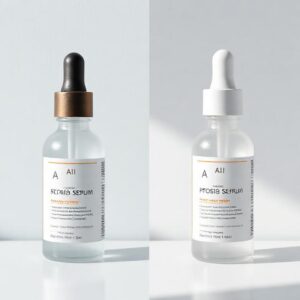
In 2026, AI can replicate almost every studio style, but your results will look 100% better if you make this decision upfront.
Here are the main styles:
1. Clean Studio Packshot (E-commerce Standard)
-
Centered product
-
Soft shadows
-
White or light-gray background
-
Clear labeling
-
Perfect for Amazon, Walmart, Shopify
2. Premium Luxury Shot (Beauty & Skincare)
-
Darker background
-
Glossy reflections
-
Soft gradients
-
Marble, glass, water ripples
-
Dramatic lighting
3. Minimalist Brand Shot
-
Beige or pastel tones
-
Soft, diffused shadows
-
Gentle highlights
4. Artistic Hero Shot
-
Strong composition
-
Props
-
Textured surfaces
-
Dynamic lighting
5. Lifestyle Scene
-
Bathroom counter
-
Desk
-
Bedroom
-
Realistic depth of field
-
Storytelling elements
Choosing the style early prevents inconsistent results.
Step 4 — Define the Virtual Lighting Setup
Lighting is the heart of product photography — even in AI.
The best 2026 tools let you control:
-
light direction
-
softness
-
intensity
-
diffusion
-
bounce light
-
rim lighting
-
HDRI environments
Here are the five lighting setups every AI product photographer must know:
1. Softbox-Based Studio Light (Most Universal)
-
Clean
-
Natural
-
Perfect for beauty products
-
Soft shadows
-
Highlight control
Prompt elements to include:
“large softbox from above at 45 degrees, subtle fill light, gentle soft shadows, diffused specular highlights.”
2. 3-Point Studio Lighting
-
Key light
-
Fill light
-
Rim or back light
This produces cinematic hero shots.
3. High-Key Lighting (E-commerce Style)
-
Bright
-
White
-
Almost no shadow
4. Low-Key Lighting (Luxury Style)
-
Dark background
-
Strong highlights
-
Deep shadows
Great for jewelry and premium skincare.
5. Natural Window Light Simulation
-
Soft
-
Organic
-
Warm and inviting
Used heavily for handmade, Etsy, organic products.
Step 5 — Choose Your Lens Perspective
In 2026, AI understands lenses correctly.
Best choices for product photography:
-
85mm → skincare, beauty, jewelry, luxury items
-
50mm → general product shots
-
35mm → lifestyle scenes
-
105mm macro → close-ups of textures, details, labels
You can also choose:
-
f/1.8 for shallow depth
-
f/4 for balanced clarity
-
f/8 for full-sharp images
Incorporating real lens settings dramatically increases realism.
Step 6 — Plan Your Composition Before Prompting
Good images follow geometry.
Even AI needs guidance.
Choose one of the following:
Center Weighted
Perfect for packshots.
Rule of Thirds
Great for lifestyle, brand storytelling.
Hero Composition
Product angled slightly toward viewer
Background diagonal lines
Stronger visual weight
Top-Down Flat Lay
For food, cosmetics, handmade crafts.
Macro Detail
Close-up on textures or specific features.
Deciding this before generation avoids random outputs.
Step 7 — Prepare Your Consistency Settings
If you plan to create:
-
multiple angles
-
seasonal variations
-
product line variations
-
a full brand kit
You must lock consistency using:
-
Seed
-
Lighting
-
Color palette
-
Camera angle
-
Background texture
Tools like Krea, ComfyUI, and Midjourney’s Style Tuner help maintain perfect consistency across sets.
Step 8 — Now You’re Ready to Generate
Once steps 1–7 are defined, prompting becomes extremely easy — because you already know:
-
your product
-
your brand
-
your lighting
-
your lens
-
your mood
-
your composition
-
your consistency settings
This workflow is what separates low-quality AI images from studio-grade product photography.
The 2026 S.T.U.D.I.O. Framework for Perfect Product Photo Prompts
A universal prompt-engineering system for studio-quality AI product images.
In 2026, writing prompts is no longer about adding random adjectives or copying templates.
Modern AI models respond best to structured, intentional, photography-aware prompts that give the model clarity, direction, and context.
Top agencies in e-commerce and beauty use prompt frameworks — not guesswork — to produce consistent, high-end visual assets.
The S.T.U.D.I.O. Framework is a 6-step method designed specifically for product photography. You can use it with Midjourney, DALL·E 5, Krea, Firefly 3, or even node-based systems like ComfyUI.
Every letter controls a critical part of the output:
S — Style Calibration
T — Technical Camera Settings
U — Unifying Brand Elements
D — Depth & Lighting Geometry
I — Intent-Based Composition
O — Output Consistency Controls
Once you master this framework, AI becomes a predictable tool — not a random generator.
Let’s break it down.
S — Style Calibration (The Creative DNA of the Image)
Style is the foundation. It defines:
-
mood
-
aesthetic direction
-
emotional tone
-
visual energy
-
color language
Without style calibration, AI produces generic images.
Style Calibration includes choices like:
-
minimalist
-
luxury
-
editorial
-
clean e-commerce
-
cinematic
-
natural
-
warm lifestyle
-
premium glossy
-
soft pastel
-
bold and vibrant
-
modern matte
Example style definitions:
“luxury, glossy editorial aesthetic”
“minimalist matte brand look with soft beige tones”
“clean e-commerce packshot with pure white lighting”
“warm lifestyle scene with natural daylight tones”
This is the personality of the photo.
T — Technical Camera Settings (The Photographic Reality Controls)
AI in 2026 understands real camera parameters, and this is one of the biggest factors that separates “AI-looking images” from a “real studio photograph.”
Key technical settings:
Lens
-
85mm → beauty, skincare, premium items
-
50mm → standard product shots
-
35mm → lifestyle scenes
-
105mm macro → close texture/label detail shot
Aperture
-
f/1.8 → shallow depth, dreamy
-
f/4 → balanced product clarity
-
f/8 → hyper-sharp for packshots
Lighting Terms
-
exposure +1 or –1
-
softbox diffuser
-
high-key or low-key lighting
-
rim light
-
bounce light
Focus
-
center-sharp
-
front-focused
-
product-isolated
-
shallow background fade
Example camera segment:
“shot with an 85mm lens, f/4, center-focused, soft diffused shadows, controlled exposure”
This tells the AI:
“Don’t guess — behave like a real camera.”
U — Unifying Brand Elements (The Brand Signature)
What makes a product photo look like it belongs to a brand — not a random image — is consistency.
AI models can now reinforce brand identity through:
-
color palette
-
materials
-
props
-
mood
-
typography (if needed)
-
surface textures
-
consistent lighting temperatures
-
background styles
Examples:
“brand colors: soft pastel beige and warm white”
“luxury black-and-gold brand identity with glossy reflections”
“natural organic brand tone with wood and stone textures”
This creates visual coherence across multiple shots.
D — Depth & Lighting Geometry (The Physical Realism Layer)
This is where the science of light enters the prompt.
AI now simulates:
-
falloff
-
shadow softness
-
reflection angles
-
gradient transitions
-
specular vs diffuse reflection
-
backlighting
-
environmental HDRI patterns
Lighting geometry options to include:
-
“softbox above at 45 degrees”
-
“subtle fill light from the front”
-
“rim light to define edges”
-
“clean gradient backdrop lighting”
-
“controlled shadow falloff beneath product”
Depth instructions:
-
“shallow background blur”
-
“smooth depth-of-field fade”
-
“foreground elements slightly out of focus for realism”
This section is what makes the photo feel physically accurate instead of “AI perfect.”
I — Intent-Based Composition (What You Want the Viewer to Feel)
Composition is storytelling. It decides what the viewer pays attention to.
The main composition types for product photography:
Centered Packshot
Perfect for Amazon/Shopify.
Hero Angle
Product tilted slightly toward the viewer.
Three-Quarter Angle
Best for cylindrical and glass products.
Flat Lay Top-Down
For beauty, skincare routines, handmade items.
Macro Detail
Zoomed-in texture shot.
Lifestyle Scene
Bathroom sink, bedroom vanity, office desk, etc.
Intent Examples:
-
“hero shot emphasizing luxury feel”
-
“clean packshot for online storefronts”
-
“calming lifestyle mood with soft morning light”
-
“macro detail showcasing texture realism”
Intent gives the image purpose, not randomness.
O — Output Consistency Controls (The Professional Set-Building Step)
In 2026, generating a single good image is no longer enough — brands require sets:
-
front view
-
side view
-
angled view
-
lifestyle variation
-
seasonal variation
-
detail close-ups
Consistency tools include:
-
fixed seed values
-
locked camera angle
-
stable lighting tone
-
controlled color palette
-
fixed background
-
style tokens
-
Krea consistency mapping
-
ComfyUI chained nodes
Prompt elements:
“consistent angle and lighting across series”
“use identical color temperature and shadows”
“preserve product shape and material properties”
This is how you create a cohesive brand aesthetic instead of disconnected images.
Putting the Entire S.T.U.D.I.O. Framework Together
Here’s how a fully structured prompt looks when all six components combine:
Example Prompt (2026 Edition):
“A 30ml frosted-glass skincare serum bottle with a matte-white dropper cap, luxury glossy editorial style. Shot with an 85mm lens at f/4, center-focused, soft diffused softbox lighting from above at 45 degrees, subtle fill light, gentle gradient shadows. Brand identity: warm beige and white minimalism with clean premium textures. Hero composition with the bottle slightly angled toward the viewer. Consistent lighting and color calibration for full product series.”
When you build prompts with STUDIO, AI stops being unpredictable — and becomes a true virtual camera.
The Ultimate AI Product Photo Prompts (2026 Edition)
Complete, ready-to-use, studio-grade prompts for real products.
Below are the best prompts categorized by type.
Each one follows the STUDIO Framework, giving you:
-
Style
-
Camera
-
Brand identity
-
Lighting
-
Composition
-
Consistency
These are not generic prompts — they are professionally engineered for commercial use in 2026.
SECTION 1 — Beauty Products (Skincare, Cosmetics, Perfume)
Beauty products are the hardest category due to glass, liquids, reflections, and label precision. These prompts solve that.
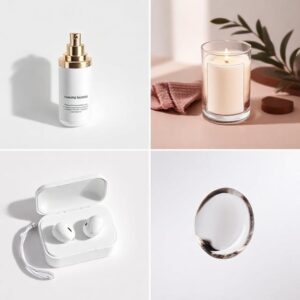
1. Luxury Skincare Serum (Frosted Glass Bottle)
Use for: premium beauty brands, hero shots, landing pages.
Prompt:
“A 30ml frosted-glass skincare serum bottle with a matte-white dropper cap and subtle silver ring. Luxury glossy editorial aesthetic, warm beige tones, soft high-end mood. Shot with an 85mm lens at f/4, center-focused. Large diffused softbox lighting above at 45 degrees, controlled glossy highlights, smooth shadow gradient beneath the bottle. Brand identity: minimalist luxury, soft neutral palette. Hero composition with bottle slightly angled toward viewer. Ultra-clean details, crisp label accuracy, 8K photorealism, consistent lighting for entire product series.”
2. Moisturizer Cream Jar (High-End Matte Finish)
Prompt:
“A matte-white skincare cream jar with soft rounded edges, premium minimal style. Shot with a 50mm lens at f/5.6 for full product clarity. Soft studio lighting with subtle front fill and gentle rim light to define shape. Warm minimalist brand identity with beige and cream tones. Centered composition for e-commerce packshot. Smooth shadows, clean background, perfect label accuracy, 8K commercial-quality output, consistency-ready.”
3. Perfume Bottle (Transparent Glass With Liquid)
Prompt:
“A luxury perfume bottle with transparent glass, golden cap, and visible amber liquid. Cinematic luxury mood, dramatic lighting with controlled reflections. Shot on an 85mm lens, f/2.8 for shallow depth-of-field. Rim lighting for glass edges, reflective glossy surface, precise refractions. Dark premium background with soft golden gradients. Hero angle with elegant perspective. Ultra-photorealistic 8K details and accurate glass physics.”
SECTION 2 — Handmade & Etsy Products (Natural, Artistic, Organic)
These prompts are optimized for Etsy sellers who want warm, organic, authentic imagery.
4. Handmade Soy Candle in Glass Jar
Prompt:
“A handmade soy candle in a clear glass jar with kraft paper label, natural rustic aesthetic. Shot with a 50mm lens, f/4. Warm natural daylight simulation, soft shadows, gentle window-light mood. Organic brand identity featuring wood textures and earth tones. Lifestyle top-down composition on a wooden surface with subtle props like dried flowers and linen fabric. Clean focus on candle, authentic imperfections preserved, 6K photorealism.”
5. Handmade Jewelry (Gold Necklace)
Prompt:
“A delicate gold necklace displayed on soft beige linen fabric, warm handcrafted aesthetic. Shot with 105mm macro lens for extreme detail. Soft diffused lighting with gentle reflections on metal. Minimalist boho-inspired brand identity. Shallow depth-of-field, elegant center-weighted composition. Natural textures, realistic highlights, 6K clarity.”
6. Clay Ceramic Mug (Artisan Style)
Prompt:
“An artisan handmade ceramic mug with speckled glaze, earthy tones, natural matte finish. Shot with a 35mm lens at f/4. Soft daylight coming from the left, gentle shadow falloff. Organic lifestyle composition with wooden desk, linen cloth, and minimal props. Cozy aesthetic, warm color palette, authentic handcrafted details, 6K realism.”
SECTION 3 — Tech & Electronics Products
Clean, sharp, futuristic — ideal for e-commerce or advertising.
7. Wireless Earbuds (Premium Tech Shot)
Prompt:
“A pair of premium wireless earbuds in matte black finish, displayed on reflective dark surface. Futuristic minimal tech aesthetic. Shot with a 50mm lens, f/5.6. Sharp edges, clean reflections, cool-toned lighting. High-contrast rim light to define shape. Centered composition, 3-point lighting setup. 8K ultra-sharp clarity.”
8. Smartwatch (Lifestyle Modern Scene)
Prompt:
“A modern smartwatch with OLED display on a clean matte pedestal. Contemporary tech-lifestyle style. Shot with 35mm lens, f/2.8. Soft directional lighting with subtle gradient shadows. Cool neutral palette. Hero composition with slight angle. Ultra-clean branding, commercial-quality 4K–8K output.”
SECTION 4 — Lifestyle Scenes for Any Product
Lifestyle prompts are essential for brand storytelling and social media imagery.
9. Bathroom Counter Skincare Scene
Prompt:
“A skincare serum bottle on a bright bathroom counter with soft natural morning light. Warm lifestyle mood. Shot with 35mm lens, f/1.8 for shallow depth-of-field. Blurred bathroom tiles in background, soft highlights on glass, natural reflections. Cozy, inviting atmosphere with minimal props. 6K realism.”
10. Kitchen Scene (Organic Products)
Prompt:
“A natural cleaning spray bottle on a wooden kitchen counter with soft daylight. Minimal organic lifestyle aesthetic. Shot with 35mm lens, f/2.8. Warm tones, shallow depth, subtle shadows. Realistic reflections on bottle, calm home setting. 6K clarity.”
SECTION 5 — Macro Detail Prompts (Textures, Labels, Ingredients)
Perfect for showcasing product quality.
11. Macro Shot of Skincare Dropper
Prompt:
“Extreme close-up macro shot of a glass dropper releasing a droplet of serum. 105mm macro lens, f/6. High-detail texture of liquid. Crisp reflections, realistic viscosity, controlled highlights. Black background with luxury feel, 8K hyper-realism.”
12. Label & Packaging Macro (E-Commerce Detail)
Prompt:
“Macro close-up of product label with perfect text accuracy. 105mm macro lens, f/8 for full sharpness. Neutral studio lighting, minimal shadows. 8K clarity focused on print detail and texture.”
SECTION 6 — Complete Product Series Prompts (Front, Side, Angle)
These are built for generating multi-angle sets for Shopify, Etsy, or Amazon.
13. Full Angle Packshot Series (Using Consistency Controls)
Prompt:
“Create a consistent 3-angle product series: front view, side view, and 45-degree hero angle. A frosted-glass skincare bottle with white dropper cap, minimalist luxury style. 85mm lens, f/5. Softbox lighting above at 45 degrees, clean gradient shadows. Pure beige background. Preserve exact product geometry and materials across all angles. Identical lighting, color temperature, and style. Perfect label accuracy. 8K output.”
SECTION 7 — Seasonal Variations (2026 Marketing Essential)
14. Winter Edition
Prompt:
“Same product, winter holiday edition. Soft snow-like texture in background, cool lighting, subtle bokeh lights. Consistent brand identity retained.”
15. Summer Edition
Prompt:
“Bright summer sunlight aesthetic with warm reflections and fresh citrus props. Maintain identical product geometry and labeling.”
End of Part 6
These prompts form the foundation of a full studio workflow.
Next, we go deeper into composition, lighting theory, realism, and texture accuracy — the part where images go from “good” to “premium.”
Composition & Lighting Mastery for AI Product Photography (2026 Edition)
How to shape the scene like a real commercial photographer — not just an AI operator.
If prompting is “what you want,” then composition and lighting are “how it feels.”
These two elements are the difference between:
-
a basic AI-generated product photo
vs. -
a high-end studio image that could appear in a luxury campaign
Most beginners believe quality comes from the model.
Professionals know quality comes from:
-
camera geometry
-
lighting physics
-
compositional balance
-
shadow behavior
-
material-specific lighting
-
real-world imperfections
-
visual hierarchy
This part teaches you the exact skills real product photographers rely on — adapted to AI.
SECTION 1 — The Four Golden Principles of Composition
Great composition directs the viewer’s eye and reinforces brand perception. These four principles apply to nearly every product category.
1. Center-Weighted Dominance (The E-Commerce Standard)
For online stores like Amazon, Shopify, Etsy, and Walmart, the product should command the frame.
Center-weighted composition requires:
-
product exactly in the middle
-
equal spacing around edges
-
neutral background
-
clean shadow around base
-
no distracting props
This builds trust because the image looks technical, neutral, and honest.
Use this for:
-
packshots
-
white-background listings
-
catalog images
-
ingredient-focused skincare
-
tech items
AI tools love this because it reduces ambiguity and increases label accuracy.
2. The Hero Angle (The Advertising Standard)
The hero angle is used in premium campaigns.
It tells the viewer:
“Look at this — it has presence, weight, and importance.”
Hero angle uses:
-
slight tilt toward the viewer
-
elevated product edges
-
diagonal background lines
-
soft backlight or rim light
-
camera slightly lower than normal
-
deeper contrasts
This makes any product feel dramatic, cinematic, and high-value.
Use this for:
-
luxury skincare
-
jewelry
-
candles
-
premium perfumes
-
electronics
The hero angle also works beautifully with marble, glass, or metal backgrounds.
3. Rule of Thirds (Lifestyle Images That Feel Natural)
Lifestyle compositions rely on realism and emotion.
The product does not sit in the center.
Instead, it sits at the intersection of:
-
1/3 horizontal
-
1/3 vertical
This creates a sense of story and space around the product.
Example:
A lotion bottle near the edge of a bathroom counter with morning light entering the frame.
Ideal for:
-
handmade brands
-
organic/natural products
-
warm lifestyle content
-
home decor
-
bath & beauty
Rule of Thirds adds humanity to the scene — something AI images often lack.
4. Macro Minimalism (The Premium Detail Shot)
Macro shots showcase:
-
texture
-
material quality
-
label crispness
-
ingredients
-
surface imperfections
To achieve macro minimalism:
-
use a 105mm macro lens
-
f/6–f/8 for clarity
-
tight framing
-
minimal background
-
controlled reflections
-
no visual noise
These shots are essential for building customer trust on product pages.
Ideal for:
-
close-ups of serums
-
droppers
-
jewelry
-
logos
-
metal texture
-
packaging materials
Macro detail shots are often missing from AI workflows — but in 2026, models are good enough to produce incredible results.
SECTION 2 — Lighting Mastery: The Heart of Realism
Lighting determines whether your AI image “feels real” or “looks AI.”
Below are the lighting techniques used in modern studios, adapted for AI tools like Midjourney v7, DALL·E 5, Krea, Firefly 3, and ComfyUI.
1. Softbox Light (The Universal Standard)
Softboxes create the smooth, elegant shadows seen in premium beauty brands.
Characteristics:
-
soft falloff
-
smooth gradients
-
gentle highlights
-
minimal harsh edges
-
balanced shape visibility
Works best for:
-
skincare bottles
-
perfumes
-
candles
-
handmade ceramics
Prompt components:
-
“large diffused softbox above at 45 degrees”
-
“subtle fill light from front”
-
“smooth shadow gradient beneath product”
2. Three-Point Lighting (Commercial / Editorial)
This is a cinematic setup that creates a sense of depth and dimensionality.
Components:
-
Key light: main source
-
Fill light: softens shadows
-
Rim light: highlights edges
Works best for:
-
luxury items
-
metallic surfaces
-
tech products
-
hero shots
Prompt components:
-
“key light from upper left”
-
“soft fill light from front”
-
“rim light outlining the product edges”
This setup makes objects pop from the background.
3. High-Key Lighting (E-Commerce Modern Look)
Used for bright, clean, minimal product photos.
Characteristics:
-
almost no shadows
-
pure white background
-
bright exposure
-
ultra-clean aesthetic
Ideal for:
-
Amazon listings
-
modern beauty products
-
wellness brands
Prompt components:
-
“high-key lighting, soft even glow”
-
“white seamless backdrop”
-
“minimal shadow, bright exposure”
4. Low-Key Lighting (Premium, Luxury, Dramatic)
Low-key creates emotional, moody, high-end visuals.
Characteristics:
-
deep shadows
-
controlled highlights
-
dark background
-
rich contrast
Ideal for:
-
jewelry
-
perfumes
-
luxury beauty
-
tech items
Prompt components:
-
“low-key lighting, deep shadow falloff”
-
“strong highlight shaping the form”
-
“dark gradient background”
5. Natural Window Light Simulation
One of the most realistic lighting types in AI.
Characteristics:
-
soft daylight
-
gentle shadow edges
-
warm and inviting atmosphere
Ideal for:
-
handmade products
-
candles
-
natural skincare
-
Etsy-style brands
Prompt components:
-
“natural daylight from left”
-
“gentle shadow falloff”
-
“bright lifestyle mood”
SECTION 3 — Material-Based Lighting Rules (Critical for Realism)
Different materials require different lighting.
This is where AI users often fail — using the wrong lighting for the wrong surface.
Below is the essential guide:
Glass
-
needs backlight
-
needs rim light
-
needs controlled highlights
-
avoid harsh reflections
Metal
-
needs contrast
-
needs defined edges
-
avoid soft, mushy shadows
Matte Surfaces
-
need softbox lighting
-
avoid strong highlights
Liquid
-
needs controlled specular highlights
-
needs shallow depth-of-field
-
benefits from dynamic reflections
Wood / Ceramic (Handmade)
-
best with natural daylight
-
needs soft shadows
-
avoid artificial glossy lighting
SECTION 4 — The 7 Composition Mistakes That Make Images Look “AI”
(And how to avoid them)
-
Shadows that don’t match light direction
-
Too-clean surfaces without texture
-
Perfect symmetry with no imperfections
-
Unrealistic reflections or no reflections
-
Overly smooth materials
-
Wrong lens perspective
-
Background that feels “generated” instead of organic
In Part 8, we will fix all of these with realism-enhancement techniques.
Hyper-Realism & Brand Consistency (The Secret to Making AI Photos Look Truly Real)
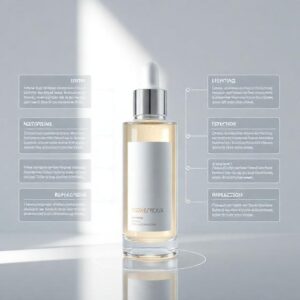
How to eliminate the “AI look,” build believable materials, and create a unified visual identity for your brand.
Creating a beautiful AI product photo is easy.
Creating a realistic, trust-building, commercial-ready, and brand-consistent product photo is an entirely different challenge.
Most AI product images fail for one of two reasons:
-
They look “AI-ish” — textures too smooth, shadows too perfect, edges too soft, reflections too unrealistic.
-
They look inconsistent — different angles don’t match, colors shift, lighting varies, labels change shape.
Part 8 solves both problems.
This is where your images stop looking like “AI experiments” and start looking like real commercial assets brands would pay thousands for in a studio.
SECTION 1 — The 7 Causes of the “AI Look” (And How to Fix Them)
AI images become obvious when the physics or materials feel wrong.
Here are the primary causes — and their solutions.
1. Overly Smooth Surfaces (Lack of Microtexture)
AI often produces surfaces that are too clean, too polished, and too even.
The Fix:
Add microtexture and subtle imperfections.
Prompt Add-Ons:
-
“microtexture surface details”
-
“subtle imperfections and realistic surface variations”
-
“fine material grain visible under soft light”
This works especially well for:
-
skincare bottles
-
matte packaging
-
handmade ceramics
-
plastic caps and lids
2. Unrealistic Shadows
AI shadows often:
-
fall in multiple directions
-
have no gradient
-
are too sharp or too soft
-
don’t match the light source
The Fix:
Define direction, softness, and falloff in your prompt.
Prompt Add-Ons:
-
“shadow falloff aligned with key light”
-
“single consistent shadow direction”
-
“smooth gradient shadow beneath the product”
This forces the model to commit to a physical lighting geometry.
3. Wrong Reflections on Glass or Metal
AI frequently misbehaves with reflective surfaces:
-
warped highlights
-
mirrored backgrounds
-
unrealistic glow
-
melted edges
The Fix:
Use clear reflection rules.
Prompt Add-Ons:
-
“controlled specular highlights”
-
“accurate reflection behavior based on material physics”
-
“clean metal reflections matching light direction”
If you’re working with glass, always include:
-
“rim light defining glass edges”
-
“realistic refraction through transparent liquid”
4. Perfect Symmetry
Nothing in real life is perfectly symmetrical.
AI often creates surfaces that look over-engineered.
The Fix:
Add gentle asymmetry.
Prompt Add-Ons:
-
“natural asymmetry in materials”
-
“subtle irregularities in surface reflection”
This is essential for handmade/Etsy products.
5. Incorrect Depth of Field
Sometimes AI:
-
blurs the wrong areas
-
keeps the entire background sharp
-
applies cinematic blur to e-commerce photos
The Fix:
Set the lens and aperture manually.
Prompt Add-Ons:
-
“shallow depth-of-field with background blur”
-
“sharp product edges with soft surrounding focus”
-
“f/4 for balanced clarity”
-
“f/8 for full-sharp packshot”
6. Flat Colors (No Light Gradient)
Real photography has:
-
falloff
-
tonal shifts
-
micro-lighting variations
AI sometimes outputs flat, dull colors.
The Fix:
Add color-grading and gradient lighting.
Prompt Add-Ons:
-
“soft gradient lighting on background”
-
“subtle warm color grading”
-
“realistic tonal variation across surface”
7. No Material-Specific Behavior
A metal cap shouldn’t behave like a plastic cap.
A frosted bottle shouldn’t reflect like glass.
The Fix:
Specify exact material physics.
Examples:
-
“frosted glass diffusion with soft highlights”
-
“brushed aluminum with sharp reflective streaks”
-
“matte plastic with diffused shadows”
-
“ceramic with soft natural reflections”
The more specific, the better.
SECTION 2 — The Hyper-Realism Checklist (Use This Before Generating Any Photo)
This checklist guarantees that your image will look real, not AI-generated.
✔ Material defined
(frosted glass, matte plastic, brushed metal)
✔ Lighting direction and softness defined
✔ Shadows have gradient falloff
✔ Lens and aperture defined
✔ Consistent color temperature
✔ Product weight feels grounded
(no floating look)
✔ Imperfections subtly added
✔ Reflections and highlights match material
✔ Background feels natural
(not perfectly smooth unless intentional)
✔ Surface interaction makes sense
(product should “touch” the surface, not hover)
Use this checklist every time — it will improve your results instantly.
SECTION 3 — Brand Consistency: The Most Underrated Element of AI Photography
Brands don’t need one perfect image.
They need a matching set of images.
Without consistency, a brand looks amateur and untrustworthy.
In 2026, consistency is built through:
-
Style
-
Lighting
-
Colors
-
Camera angle
-
Material behavior
-
Backgrounds
-
Shadows
-
Props
-
Seed
-
Lens settings
Let’s break down the major pillars.
1. Color Palette Locking
Your brand should stick to a palette:
-
soft beige (beauty)
-
white and silver (tech)
-
pastel and clean (wellness)
-
earthy tones (handmade)
AI tends to drift colors unless controlled.
Add to prompt:
-
“consistent warm beige brand palette”
-
“retain identical brand colors across series”
2. Lighting Style Locking
Your lighting should not randomly change from photo to photo.
Add to prompt:
-
“consistent softbox lighting for entire series”
-
“identical lighting tone and shadow behavior across images”
Tools like Krea and ComfyUI are excellent for this.
3. Background Consistency
Even small variations make a brand look messy.
Use:
-
the same color
-
the same texture
-
the same gradient
-
the same shadow length
Add:
-
“use identical background for all angles”
4. Camera Angle Locking
If your front, side, and angled shots don’t match, the brand looks fake.
Add:
-
“consistent 45-degree hero angle for series”
-
“same lens mm across all shots”
5. Material Stability
AI sometimes randomly changes:
-
textures
-
reflections
-
glass thickness
-
metal shine
Add:
-
“preserve identical product materials across the entire set”
6. Label & Logo Accuracy
This is huge for commercial use — brands will reject any distorted labels.
Add:
-
“perfect label accuracy, no distortion”
-
“text-lock stability across all angles”
SECTION 4 — Final Technique: The “Real-World Anchor”
One of the most powerful realism enhancers is adding a real-world anchor:
-
a fingertip
-
a shadow from an unseen window
-
a slight imperfection in the material
-
condensation on a cold bottle
-
dust particles on a surface
-
light reflection from an unseen object
-
a barely visible texture
These are tiny touches that humans perceive as real.
The anchor should be subtle — barely noticeable — but it transforms the image from “AI clean” to “photographically honest.”
Add:
“subtle real-world imperfections for enhanced realism”
Fixing AI Mistakes & Preparing Images for E-Commerce (Amazon, Shopify, Etsy Standards — 2026 Edition)
How to clean, correct, sharpen, and standardize AI product photos so they meet real commercial requirements.
Creating a beautiful AI image is one skill.
Preparing it for actual commercial use is another.
E-commerce platforms have strict standards:
-
resolution
-
background
-
clarity
-
label readability
-
shadow rules
-
image ratios
-
cropping requirements
-
text/logo accuracy
Most AI photos fail these standards without proper correction.
This part teaches you how to repair AI flaws, enhance realism, and convert images into platform-ready assets that can actually generate sales.
SECTION 1 — The 12 Most Common AI Product Photo Mistakes (And How to Fix Them)
Even in 2026, AI still makes predictable errors.
Great brands fix these errors aggressively.
Below are the most common issues — and the exact method to correct each one.
1. Warped or Incorrect Labels/Text
This is the #1 problem in AI product imagery.
Fix Strategy:
-
Regenerate with “perfect label accuracy”
-
Use DALL·E 5 for label-centered renders
-
Use Firefly 3’s label-correction tools
-
For critical packaging: use text-injection nodes in ComfyUI
Prompt Add-On:
“perfectly accurate label and typography, no warping or distortion, precise print clarity”
2. Inconsistent Product Shape
AI sometimes slightly changes:
-
the bottle height
-
the curvature
-
the proportions
-
the cap thickness
-
the jar diameter
Fix Strategy:
-
Use Krea consistency mapping
-
Lock seed + camera angle
-
Define product proportions in the prompt
-
Always regenerate series in one session
Prompt Add-On:
“preserve identical geometry and proportions across all images”
3. Overly Smooth Surfaces (Plastic or Glass Looks Fake)
AI often makes surfaces unnaturally smooth.
Fix Strategy:
-
Add microtexture
-
Add material imperfections
-
Add realistic highlight falloff
Prompt Add-On:
“natural microtexture, realistic material imperfections, soft highlight gradients”
4. Melting Reflections / Strange Highlights
Glass may glow in odd places.
Metal might bend reflections incorrectly.
Fix Strategy:
-
Define lighting precisely
-
Add rim light
-
Reduce reflective intensity
-
Use Firefly’s “Highlight Correction” tool
-
In ComfyUI: use “Specular Control” node
5. Floating Product (No Contact Shadow)
A major giveaway of AI-generated imagery.
Fix Strategy:
-
Add grounding shadow
-
Increase shadow density under object
-
Use realistic shadow falloff
Prompt Add-On:
“grounded contact shadow directly beneath product with realistic falloff”
6. Shadow Direction Doesn’t Match Light Direction
This is very common in lifestyle scenes.
Fix Strategy:
-
Explicitly define light direction
-
Use only one dominant light source
-
Avoid contradictory terms
Prompt Add-On:
“single consistent light source with matching shadow direction”
7. Over-Sharp Edges (The “AI Cutout” Look)
AI images sometimes look like PNG cutouts.
Fix Strategy:
-
Add ambient bounce light
-
Add rim light
-
Add background color bleed to the edges
Prompt Add-On:
“soft edge lighting and natural ambient bounce for realism”
8. Unnatural Props or Misaligned Items
Examples:
-
misaligned caps
-
broken droppers
-
incorrect textures
Fix Strategy:
-
Regenerate without props
-
Or manually retouch in Photoshop
-
Or use ComfyUI inpainting nodes
9. Wrong Liquid Behavior (Serums, Creams, Water Droplets)
AI sometimes makes liquids:
-
too thick
-
too shiny
-
too perfect
Fix Strategy:
-
Add viscosity description
-
Add transparency behavior
-
Use “realistic liquid physics”
10. Unrealistic Background Textures
Especially marble, concrete, or fabric.
Fix Strategy:
-
Add “photographic texture realism”
-
Reduce smoothness
-
Add depth cues
11. Wrong Lens Perspective
AI may mix telephoto and wide-angle cues.
Fix Strategy:
Always specify:
-
focal length
-
aperture
-
depth of field
12. No Real-World Imperfections
Real photos always have tiny imperfections.
AI perfect surfaces break realism.
Fix Strategy:
Add subtle micro-flaws.
Prompt Add-On:
“subtle real-world imperfections for photography realism”
SECTION 2 — Essential Retouch Workflow (2026 Best Practices)
AI gives you 90% of the image.
Retouching gives you the final 10% that makes the image publish-ready.
This is the standard pipeline used by e-commerce agencies in 2026:
Step 1 — Sharpening & Texture Enhancement
Use:
-
Firefly 3 “Texture Enhance”
-
Photoshop High Pass Filter
-
Topaz Photo AI (2026 Edition)
This increases microtexture and realism.
Step 2 — Correcting Edges & Borders
Fix inconsistent:
-
glass edges
-
metal rims
-
packaging lines
Use:
-
Photoshop Pen Tool
-
Firefly “Edge Fidelity Correction”
Step 3 — Color Calibration
AI images often shift color slightly between renders.
Use:
-
Neutralize tool in Photoshop
-
Color grading LUTs
-
Trend-based brand palettes
Step 4 — Shadow Correction
Ensure:
-
shadow direction
-
shadow density
-
shadow softness
Match real-world physics.
Step 5 — Background Cleanup
Perfect backgrounds are essential for:
-
Shopify
-
Etsy
-
Amazon
Use:
-
Photoshop Retouch tools
-
Firefly Background Clean
Step 6 — Export for Platform Requirements
This leads us into:
SECTION 3 — E-Commerce Platform Requirements (2026 Standards)
Every platform has specific image rules.
Below is the 2026-approved standard.
Amazon Image Requirements (2026)
Main Image:
-
White background only (#FFFFFF)
-
Product must fill 85% of frame
-
No props
-
No reflections
-
No shadows beyond soft gradient
-
Min resolution: 1600px
-
Preferred: 2560px
-
Aspect ratio: 1:1
Additional Images:
-
Lifestyle allowed
-
Infographics allowed
-
Ingredients allowed
-
Macro allowed
Shopify Image Requirements
-
2048px minimum
-
1:1 or 4:5 aspect ratio
-
Props allowed
-
Lifestyle scenes allowed
-
High-key lighting preferred
-
Transparency optional
Etsy Image Requirements
-
2000px minimum
-
Realistic, lifestyle-friendly scenes encouraged
-
Natural light simulation preferred
-
Handmade products require authentic textures
TikTok Shop Requirements
-
1080×1920 (vertical)
-
Bright, punchy lighting
-
Minimal clutter
-
Clear center composition
-
High-contrast shadows
SECTION 4 — Final Optimization Techniques (Pro Tips)
These are the tricks agencies use in 2026:
✔ Add ultra-soft dust particles on surfaces → realism boost
✔ Slight chromatic aberration → mimics real lenses
✔ Micro-scratches on metal → authenticity
✔ Imperfect label edge → photographic credibility
✔ Keep shadows asymmetric → removes AI perfection
✔ Calibrate color temperature → professional consistency
AI Product Videos in 2026 + Final Conclusion (The Future of Visual Commerce Begins Here)

How to create cinematic product videos using AI — and a concluding message that elevates your entire workflow.
As powerful as AI product photos have become in 2026, there’s a new frontier reshaping visual commerce even faster: AI-generated product videos.
Video is now the dominant force in online shopping.
On platforms like:
-
TikTok Shop
-
Instagram Reels
-
YouTube Shorts
-
Amazon Inspire
-
Shopify Video Sections
people don’t just see products — they experience them.
But traditional product videography requires:
-
expensive rotating platforms
-
4K cameras
-
perfect lighting setups
-
time-consuming editing
-
retouching
-
color grading
AI removes every barrier.
Let’s explore how.
SECTION 1 — The Rise of AI Product Video Generation (2026 Edition)
In 2026, tools like:
-
Runway Gen-4 Ultra
-
Pika V5
-
Krea Video Engine
-
Luma Dream Machine (New 2026 Model)
-
Adobe Firefly Video Studio
-
ComfyUI Video Nodes
allow you to create studio-quality video from:
-
a single product photo
-
a 3D-like render
-
a text prompt
-
or a multi-angle AI set
You can generate:
-
360° spins
-
slow cinematic pans
-
macro droplet shots
-
glossy product reveals
-
lifestyle motion scenes
-
animated ingredient effects
-
water splashes
-
soft rotating beauty bottles
-
candle flicker animations
-
jewelry sparkle reels
All without shooting a single real frame.
This is visual storytelling on-demand.
SECTION 2 — Essential AI Video Types for E-Commerce in 2026
Every brand today should master the following 6 video types.
1. 360° Product Spin (The New E-Commerce Standard)
Customers want to inspect products from every angle.
In 2026, AI can generate flawless 360° spins using:
-
Krea
-
Luma
-
Runway
Simply feed the tool:
-
your front view
-
side view
-
angled view
And the model reconstructs the full object.
Ideal for:
-
Amazon listings
-
Shopify product pages
-
Beauty bottles
-
Tech devices
-
Jewelry
2. Cinematic Hero Reveal (High-Impact Ads)
This is the luxury-showcase style used by major brands.
Features include:
-
dramatic lighting
-
slow camera movement
-
glossy reflections
-
macro detail pans
-
soft gradients
Perfect for high-end:
-
skincare
-
fragrances
-
premium handmade items
3. Macro Texture Motion (High-Trust Detail Shots)
These videos zoom in close enough to show:
-
glass clarity
-
liquid viscosity
-
dropper movement
-
ceramic texture
-
metal shine
-
candle wax detail
They build credibility.
4. Ingredient Explosion or Liquid Motion Ads
Runway and Luma excel at:
-
floating ingredients
-
water splashes
-
glowing particles
-
swirling liquids
These are ideal for:
-
beauty serums
-
wellness drinks
-
organic products
5. Lifestyle Motion Scenes
AI can animate:
-
soft waves of light
-
flickering candles
-
steam from a cup
-
hands interacting with products
-
warm morning light across surfaces
These add emotional context that static images cannot.
6. Vertical Social Ads (TikTok, IG Reels, Shorts)
These are fast, punchy, scroll-stopping videos:
-
dynamic cuts
-
bold lighting
-
quick transitions
-
close-up action
AI now produces 1080×1920 vertical formats instantly.
SECTION 3 — The 2026 AI Video Workflow
Here is the professional workflow used by top e-commerce studios.
Step 1 — Start With Your AI Photo Set
From Parts 5–9, you already know how to create:
-
clean packshots
-
hero shots
-
macro angles
-
lifestyle shots
These will act as your foundation frames.
Step 2 — Generate Motion Variations
Use Runway or Luma to animate:
-
camera motion
-
lighting
-
reflections
-
rotations
For example:
“Slow cinematic camera pan over a frosted-glass serum bottle, soft reflections, glossy highlights, premium luxury feel.”
Step 3 — Ensure Material Stability Across Frames
AI may distort materials or labels during motion, so use:
-
Consistency Mode
-
Frame-by-frame correction
-
Label Lock
-
Optical Stability Nodes
This ensures the product stays accurate throughout the sequence.
Step 4 — Add Realistic Physics (Optional)
Tools now simulate:
-
droplet movement
-
liquid viscosity
-
cloth motion
-
candle flicker
-
ingredient float
These add realism to the scene.
Step 5 — Apply Professional Color Grading
Every great product video uses grading to create:
-
mood
-
consistency
-
brand identity
Firefly Video Studio offers automated LUTs for:
-
skincare
-
handmade
-
tech
-
premium cosmetics
Step 6 — Export Platform-Optimized Versions
Every platform has different needs:
TikTok → 1080×1920
Instagram → 1080×1350
Shopify → 1080×1080
Amazon A+ → 1200×1200
YouTube Shorts → 1080×1920
AI video tools can auto-crop versions for each platform.
SECTION 4 — The Future: AI Will Not Replace Photographers — It Will Replace Limitations
This is the truth of 2026:
AI is not here to remove creators.
It’s here to remove:
-
budgets
-
technical barriers
-
expensive equipment
-
location restrictions
-
lighting complexity
-
retouching bottlenecks
AI frees creators to focus on what matters:
-
storytelling
-
branding
-
emotion
-
idea
-
vision
Photography used to be “hardware.”
Now it’s creativity + direction.
You are no longer limited by:
-
your studio
-
your camera
-
your lighting kit
-
your environment
-
your equipment
You are limited only by:
-
your taste
-
your artistic direction
-
your storytelling ability
-
your understanding of light
-
your ability to articulate prompts
This tutorial has given you everything needed to transform ideas into commercial-grade visual assets.
FINAL CONCLUSION — The New Creative Power Belongs to You
We’ve entered a new era where:
-
individuals have power once held by studios
-
small brands can outshine big corporations
-
creativity beats equipment
-
concepts matter more than tools
-
a single person can build a full visual identity
You now have:
-
the workflows
-
the prompts
-
the lighting mastery
-
the composition understanding
-
the realism techniques
-
the e-commerce preparation skills
-
the video pipeline
-
the creative vision
This is more than a tutorial.
It is a new creative toolbox.
If you can imagine it, you can generate it.
If you can describe it, you can brand it.
If you can refine it, you can sell it.
The future of visual commerce is not about AI replacing humans — it’s about humans becoming more powerful than ever.
And now, that power is in your hands.