For millions of people around the world living with low vision or blindness, everyday tasks that others take for granted—like reading labels, identifying objects, navigating public spaces, or even recognizing faces—can become daily challenges. But in 2026, something extraordinary has happened: AI-powered Android apps are transforming smartphones into intelligent companions, helping visually impaired users live more independently, safely, and confidently.
With advancements in computer vision, natural language processing, and real-time navigation, modern AI apps can now:
-
Detect objects instantly
-
Read text aloud
-
Guide users through crowded environments
-
Recognize currency, labels, colors, and faces
-
Describe surroundings in rich, meaningful detail
-
Provide voice-guided assistance hands-free
These apps aren’t just tools—they’re empowerment. They give people with visual impairments new ways to explore, interact, and engage with the world around them.
This guide explores the best AI Android apps for visual assistance in 2026, focusing on smart navigation, object detection, reading tools, and complete voice-guided support.
Why Visual Assistance Needs AI in 2026
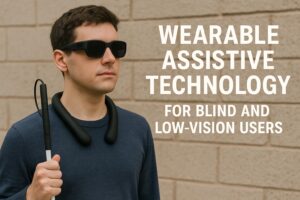
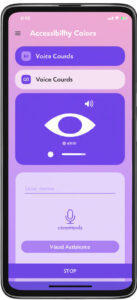
Visual impairment affects over 285 million people worldwide. Many rely on traditional tools such as canes, braille labels, or magnifiers. While helpful, these tools cannot interpret complex environments or predict obstacles.
AI technology solves many limitations because it can:
1. See and interpret the environment in real time
AI analyzes the camera feed and describes everything it sees.
2. Recognize text instantly
Signs, menus, medicine labels, receipts—AI reads them all aloud.
3. Detect objects and obstacles
From crosswalks to store aisles to unfamiliar rooms.
4. Provide step-by-step voice navigation
Helping users walk safely indoors and outdoors.
5. Learn user behavior
Personalizing assistance based on habits, needs, and environment.
AI bridges the gap between independence and daily accessibility—offering support that adapts to each user’s unique situation.
Best AI Android Apps for Object Detection
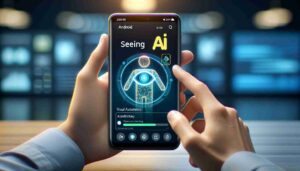

Object detection apps help visually impaired individuals identify what’s around them—from furniture and food items to faces, signs, and even handwritten text.
Here are the most advanced options in 2026:
1. Seeing AI (2026 Android Edition)
Microsoft’s award-winning app finally expanded to Android—and it’s a game changer.
Features:
-
Recognizes objects, people, colors, and scenes
-
Reads printed and handwritten text
-
Identifies currency and products
-
Provides detailed audio descriptions
Best for:
Daily object recognition and reading documents.
2. Lookout by Google (AI Enhanced)
Lookout uses Google’s powerful computer vision to deliver hyper-accurate descriptions.
Abilities:
-
Object and scene detection
-
Text-to-speech reading
-
Barcode scanning
-
Document scanning
-
Home and public environment navigation
Best for:
Instant real-time recognition with excellent accuracy.
3. Envision AI Mobile
One of the most widely trusted apps in the visually impaired community.
Strengths:
-
Ultra-fast text reading
-
Facial recognition
-
Object labeling
-
Importing photos for detailed analysis
Best for:
Users who need both reading and object detection in one place.
4. Supersense AI
A super-intelligent app built specifically for blind users.
Tools:
-
Object recognition
-
Navigation support
-
Document reader
-
Currency and product detection
Best for:
Simple, intuitive, beginner-friendly assistance.
Smart Navigation Apps for Blind & Low-Vision Users
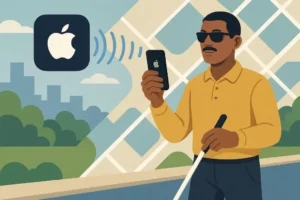
Navigation is one of the biggest challenges for visually impaired users. AI-powered navigation apps now combine GPS data with obstacle detection and audio guidance to provide safe, clear, and adaptive walking routes.
Below are the top navigation tools in 2026:
5. Aira AI Mobility Assistant
Aira connects users with trained guides powered by AI assistance.
Features:
-
Real-time navigation
-
Personalized route planning
-
Step-by-step voice instructions
-
AI interpretation of surroundings
Best for:
Complex environments and unfamiliar locations.
6. Be My Eyes AI Navigation
Originally famous for connecting blind users to volunteers, Be My Eyes now includes AI navigation.
Capabilities:
-
Scene description
-
Obstacle detection
-
Indoor + outdoor voice navigation
-
Auto-scan mode for reading signs
7. RightHear AI
Perfect for navigating public spaces.
Functions:
-
Indoor navigation for malls, hospitals, airports
-
Audio beacons for orientation
-
Environmental awareness cues
Best for:
Frequent travelers and city mobility.
8. Microsoft Soundscape AI (2026 Update)
Soundscape creates 3D audio maps for immersive navigation.
Tools include:
-
Spatial audio guidance
-
Landmark recognition
-
Awareness of paths, turns, and obstacles
Best for:
Users who want 360-degree audio navigation.
Voice-Guided Tools & Screen Readers Enhanced by AI
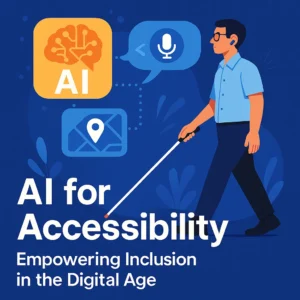
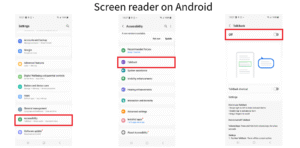
AI is revolutionizing how people with low vision interact with their phones. These apps allow full voice control, screen reading, and even visual description of images and documents.
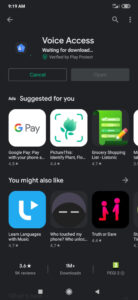
9. Voice Access AI by Google
Gives users full hands-free control over their Android devices.
Capabilities:
-
Open apps using voice
-
Navigate screens
-
Describe interface elements
-
Dictate text messages
10. Narrator AI
A powerful screen reader designed for clarity and intelligence.
Offers:
-
Natural-sounding voices
-
Smart text interpretation
-
Button and icon identification
11. Jieshuo Screen Reader AI
Popular globally for blind accessibility.
Strengths:
-
Multilingual support
-
Fast text reading
-
Gesture + voice navigation
12. SpeakIt AI for Low Vision
Designed for older adults with declining vision.
What it does:
-
Magnifies and reads text
-
Voice-guided menu navigation
-
AI-enhanced OCR (text recognition)
AI Tools Supporting Independent Living
Beyond navigation and object detection, AI apps now support independent living with tools for reading labels, identifying money, managing tasks, and more.
13. Cash Reader AI
Recognizes currency instantly from over 100 countries.
Useful for:
-
Shopping
-
Travel
-
Everyday transactions
14. MealScan AI
Helps identify food items and read nutrition labels.
Capabilities:
-
Detect food visually
-
Read ingredients aloud
-
Warn about allergens
15. Label Recognizer AI
Perfect for medications, packages, and documents.
16. Daily Tasks Assistant (DTA AI)
A full assistant for everyday tasks.
Tools:
-
Voice reminders
-
Task lists
-
Object recognition
-
Text scanning
Real-World Scenarios: How AI Helps Visually Impaired Users Daily

Scenario 1 — Navigating a New Environment
Aira AI guides a user step-by-step inside a train station.
Scenario 2 — Identifying Products in a Store
Lookout AI scans products and reads details instantly.
Scenario 3 — Reading a Menu at a Restaurant
Envision AI reads printed text aloud clearly.
Scenario 4 — Crossing a Busy Intersection
Soundscape AI provides spatial audio cues to guide safe movement.
Scenario 5 — Handling Cash Confidently
Cash Reader AI helps identify banknotes within seconds.
Best AI Android Visual Assistance Apps in 2026
| App | Main Feature | Navigation | Object Detection | Voice Control | Best For |
|---|---|---|---|---|---|
| Seeing AI | Multi-function recognition | No | Yes | Yes | Reading + object ID |
| Lookout | Real-time detection | Yes | Yes | Some | Daily mobility |
| Envision AI | Fast text & object reading | No | Yes | No | Document scanning |
| Aira AI | Assisted navigation | Yes | Some | Yes | Outdoors & complex areas |
| Be My Eyes AI | Hybrid guidance | Yes | Yes | Yes | Mixed assistance |
| RightHear AI | Indoor navigation | Yes | Limited | No | Public spaces |
| Voice Access AI | Full phone control | No | No | Yes | Device accessibility |
| Cash Reader AI | Money recognition | No | Yes | Yes | Everyday transactions |
FAQ
1. Are AI visual assistance apps accurate?
Yes. Most use advanced computer vision and achieve high accuracy in object detection and text reading.
2. Do these apps replace guide dogs or canes?
No. They supplement traditional tools and enhance independence.
3. Are these apps useful for low-light conditions?
Many include low-light optimization, but lighting can affect accuracy.
4. Do these apps work offline?
Some features do, but most require internet for AI processing.
5. Are these apps beginner-friendly?
Yes. Many offer voice instructions, simple interfaces, and large buttons.
Conclusion
Technology is often described as a bridge — and nowhere is this more true than in the world of visual assistance. AI Android apps in 2026 empower visually impaired individuals to move confidently, communicate freely, and live independently with dignity.
These tools don’t replace human connection or compassion.
But they add a powerful layer of freedom, safety, and possibility to everyday life.
With AI acting as a second set of eyes, the world becomes more accessible, more navigable, and more open than ever before.
Independence isn’t just a dream —
with AI, it’s becoming reality.